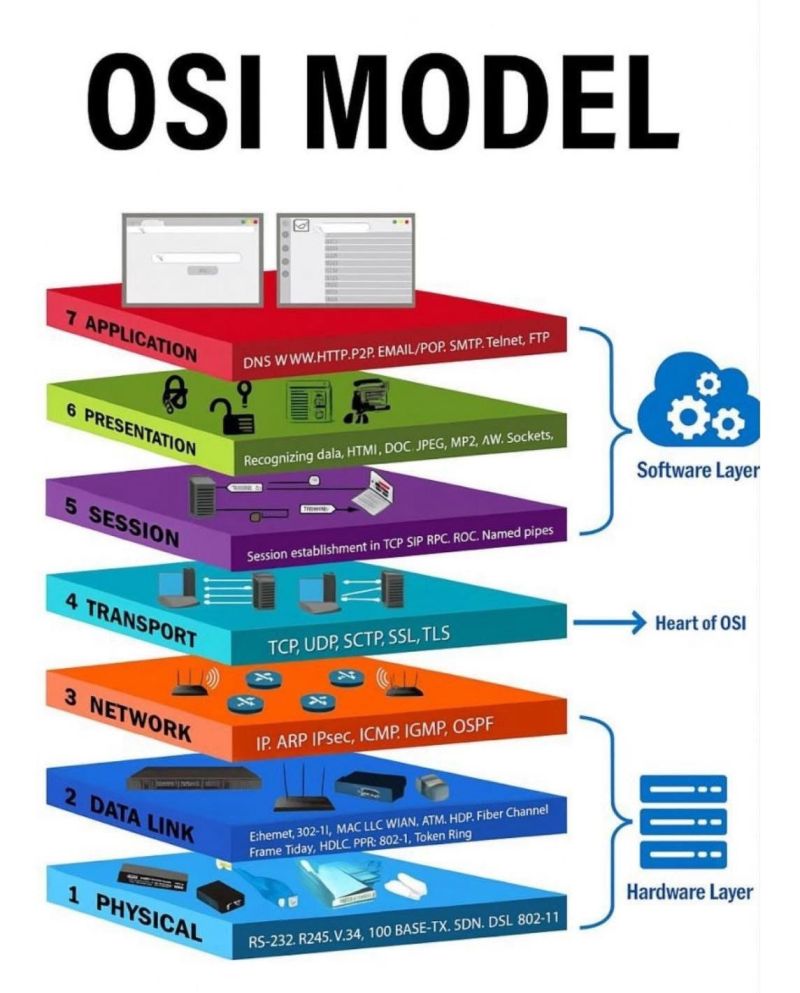
Networking Protocols
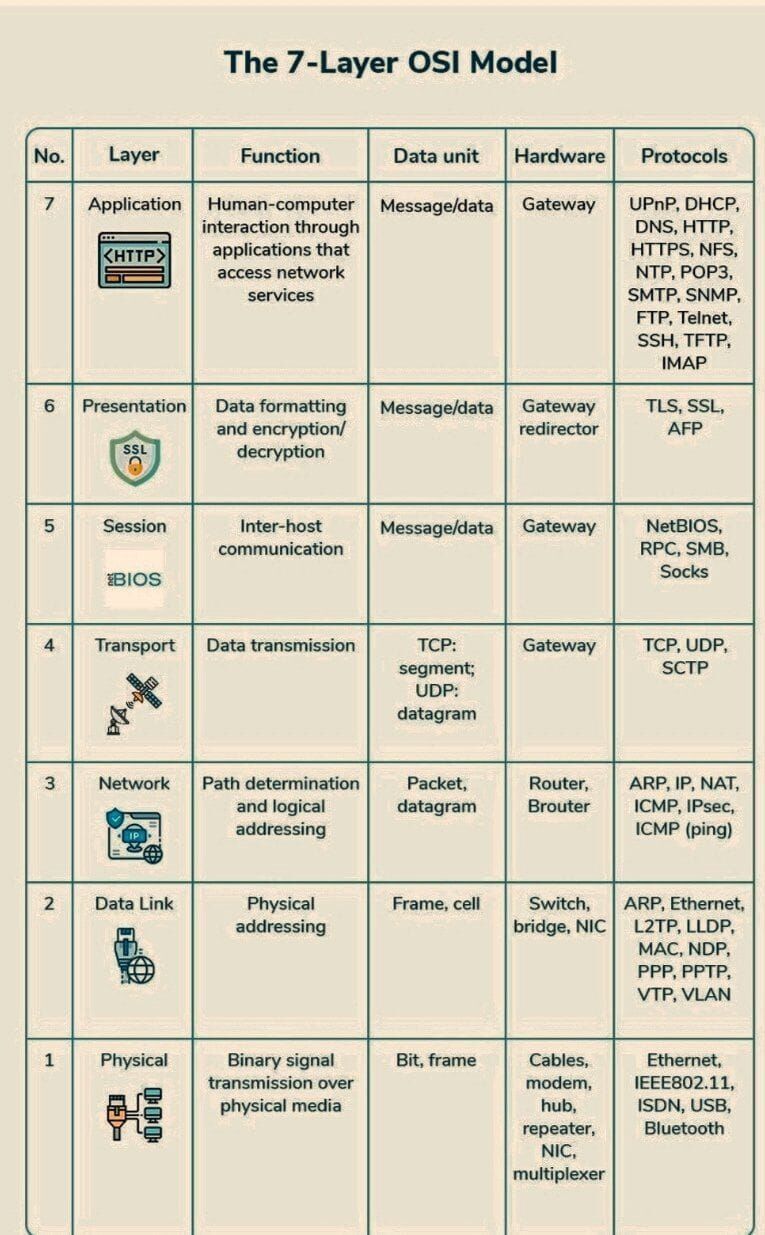
HTTP (Hypertext Transfer Protocol): This is the protocol your web browser uses to request and receive webpages from servers. When you type a URL into your browser, it sends an HTTP request to the server, which then sends back the webpage as a response. HTTP is a "stateless" protocol, meaning each request/response pair is independent.
HTTPS (HTTP Secure): HTTPS is HTTP with an extra layer of security. It encrypts the data exchanged between your browser and the server using SSL/TLS. This helps protect sensitive information (like passwords or credit card numbers) from being intercepted by third parties.
FTP (File Transfer Protocol): As the name suggests, FTP is used to transfer files between computers over a network. It's commonly used for uploading files to a web server. FTP establishes two connections - a command connection for sending instructions, and a data connection for actually transferring the files.
TCP (Transmission Control Protocol): TCP is all about reliable data delivery. When applications (like email clients or web browsers) send data using TCP, it establishes a connection and ensures that the data arrives intact and in the right order. If any data is lost along the way, TCP will resend it.
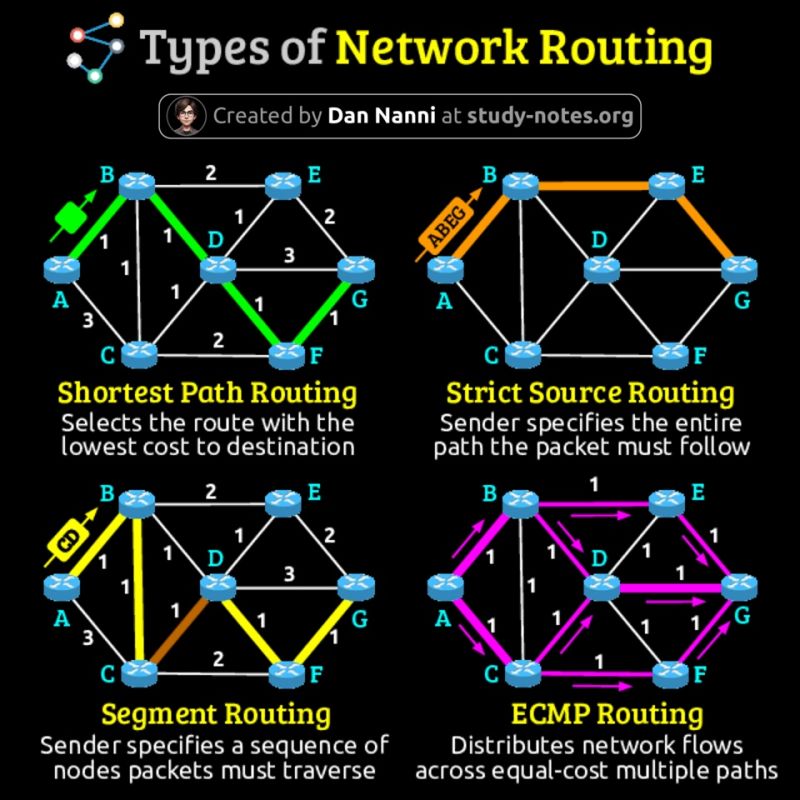
IP (Internet Protocol): IP is responsible for addressing and routing data packets across the internet. Each device on the internet has a unique IP address, which is used to send data to the correct destination. IP is an "unreliable" protocol, meaning it doesn't guarantee that packets will arrive at their destination or in the right order (that's TCP's job).
UDP (User Datagram Protocol): UDP is a simpler, faster alternative to TCP. It doesn't establish a connection or provide error checking. This makes it less reliable, but also much quicker - perfect for applications like video streaming or online gaming where a little data loss is acceptable.
SMTP (Simple Mail Transfer Protocol): This protocol handles the sending of email. When you send an email, your email client uses SMTP to send the message to your mail server, which then uses SMTP to send it to the recipient's mail server.
SSH (Secure Shell): SSH allows you to securely connect to a remote computer over an unsecured network. It's often used by system administrators to manage servers remotely. SSH provides encrypted communication between the two machines, ensuring that sensitive commands and data can't be intercepted.